A wiki on a flash drive: editing offline and syncing later
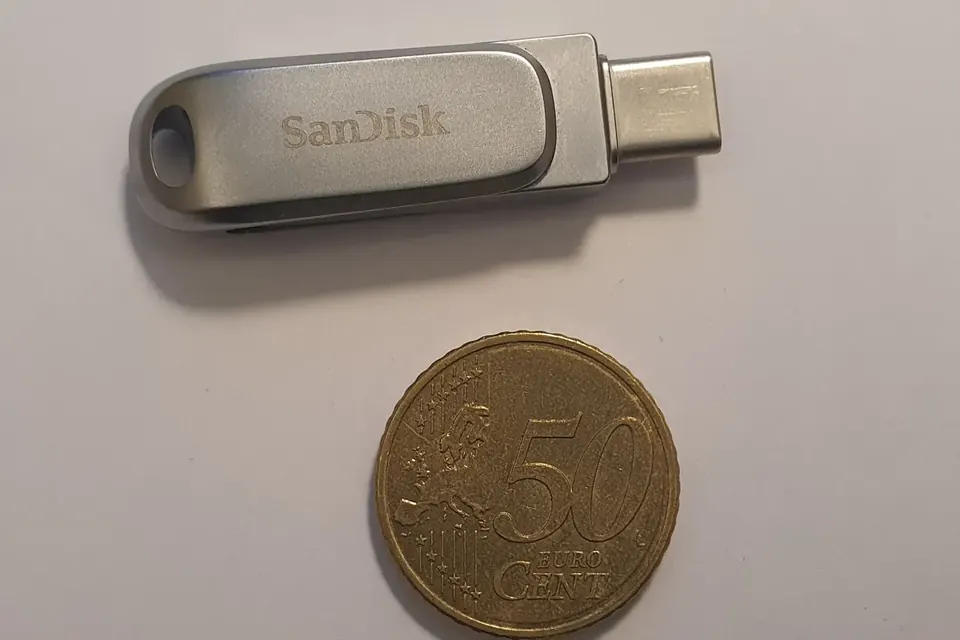
Many people who contribute to online projects do so from places where the connection is slow, expensive or available only once a week at a cybercafé. One answer, explored by volunteer networks since the mid-2000s, is to carry the wiki itself on a USB flash drive: people read and write offline, then bring their changes back to be merged. The idea is simple; doing it without losing work takes some care.
What "a wiki on a stick" means
There are three common approaches, which can be combined.
- A single-file wiki. TiddlyWiki, created by Jeremy Ruston in 2004, stores an entire wiki, including its editing software, in one HTML file that opens in any web browser. Changes are saved back into the file. Copying that file to a drive gives a complete, editable wiki with no installation.
- A portable server. Some wiki engines can run from a drive together with a small portable web server, so that the browser talks to "localhost". PortableApps-style packages make it possible to carry the browser, the server and the data together and run them on a borrowed Windows computer without administrator rights.
- Plain text files. A folder of Markdown or plain-text pages, edited with any text editor and later uploaded, is the most robust and the least elegant option. Version-control tools such as Git can track every change.
For reading only, offline readers like Kiwix, which packs Wikipedia and other wikis into compressed files, have shown how much can be carried: the whole English Wikipedia with images fits on a large flash drive.
The hard part: merging changes
As soon as two people edit the same page while offline, their versions diverge. When the drives come back, someone has to decide what the page should say. Communities that tried this learned a few rules.
- Keep a baseline. Before handing out a drive, record the date and version of every page. Without a baseline, it is impossible to tell who changed what.
- Prefer adding to rewriting. Ask offline contributors to append new sections, comments or pages rather than rewrite existing text. Additions rarely conflict; rewrites often do.
- One page, one owner while offline. If a page must be rewritten, agree in advance who is working on it.
- Merge with a tool, check with a person. Diff tools show line-by-line differences. A volunteer who knows the subject should review each merge rather than accept it blindly.
- Record the history. When the changes are uploaded, note in the edit summary that they were made offline, by whom, and on which date. That respects the contributor and helps later readers.
Looking after the hardware
Flash drives are cheap and easy to lose, and they fail more often than people expect.
- Back up every time. Copy the wiki from the drive to a computer before and after each editing session.
- Eject properly. Pulling a drive out while a file is being saved can corrupt it. Single-file wikis are especially vulnerable, since one damaged file means losing everything.
- Watch out for malware. Shared computers in public places often carry viruses that spread through USB drives. Keep a write-protected master copy, scan drives regularly and avoid running programs you did not put there.
- Mind the file system. Drives formatted as FAT32, still common, cannot hold a single file larger than 4 GB, which matters for offline encyclopedia archives. exFAT avoids this limit and is widely supported.
- Label and log. A simple paper log of which drive went to whom, and when it came back, prevents confusion when several drives circulate.
Privacy and consent
A drive carries everything on it to every computer it touches. If the wiki contains members' names, phone numbers or personal stories, a lost drive is a data leak. Keep private material off the portable copy, or encrypt the drive with a tool available on the computers people will actually use. Ask contributors whether they agree to their names appearing in the shared history.
When it is worth doing
Carrying a wiki on a drive is not a substitute for internet access, and mobile data has made it less necessary in many places since the early 2010s. It still makes sense:
- for schools and community centres with computers but no reliable connection;
- for training sessions in rural areas, where participants can write during the day and the facilitator uploads in town;
- for people who share a computer and cannot leave their work online in a browser session;
- as a backup in places where connections are cut during unrest or disasters.
The guiding principle is the same as for any offline method described on this site: the tool should adapt to how people actually live and connect, not the other way round. See also reaching people who are offline.
A simple routine
A workable routine for a small group: the coordinator copies the current wiki to each drive on the first day of the month and notes the date; contributors edit offline, adding new pages or sections rather than rewriting; drives come back by the last week of the month; the coordinator merges additions first and rewrites last, then uploads and records who contributed. The whole cycle can be described on a single page that travels with the drive.
Sources
- TiddlyWiki documentation: tiddlywiki.com.
- Kiwix project, offline content and file sizes: kiwix.org.
- PortableApps.com, portable application format: portableapps.com.
- Git documentation, "Basic Merging" and conflict resolution: git-scm.com/book.
- Microsoft, "Overview of FAT, HPFS, and NTFS file systems" and exFAT specification (file size limits).